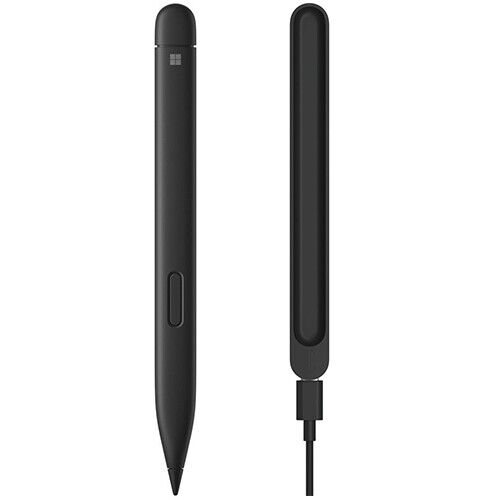
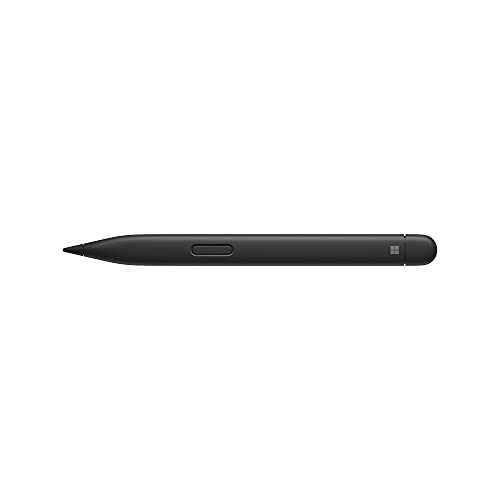
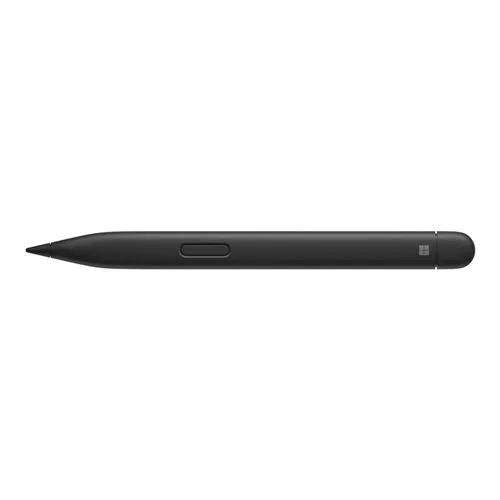
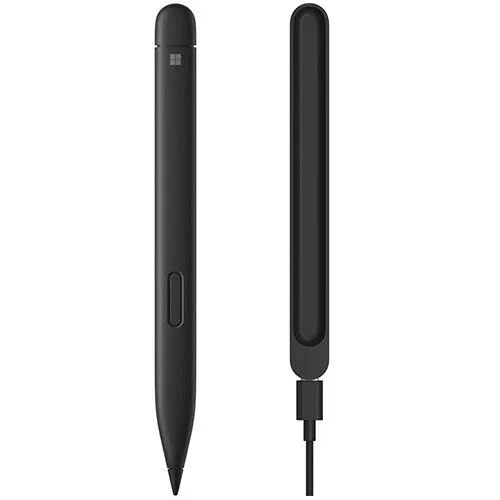
Microsoft Surface pen Charcoal Black
Microsoft Surface pen Charcoal Black KSh 23,000.00 Exclusive of 16% VAT
Back to products
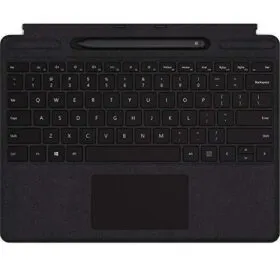
Microsoft Surface pro 8/9 Signature Keyboard Black
Microsoft Surface pro 8/9 Signature Keyboard Black KSh 39,999.00 Exclusive of 16% VAT
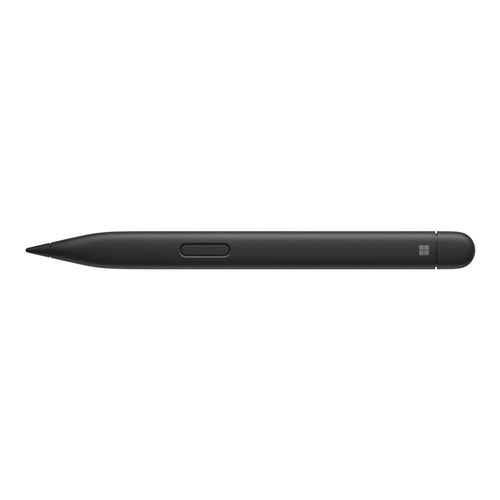
Microsoft slim pen 2 Black

    • Exceptional Precision: Achieve unparalleled accuracy in sketching, drawing, and writing.
    • Wireless Charging: Effortlessly charge on the Surface Slim Pen Charging Dock (sold separately).
    • Tactile Writing Experience: Enjoy a natural and responsive writing feel, similar to pen on paper.
    • Customizable Buttons: Tailor your creative workflow with customizable buttons for quick access.
    • Dynamic Tilt Functionality: Utilize dynamic tilt for natural shading, adding depth to your digital creations.
    • 4,096 Levels of Pressure Sensitivity: Responds to the nuances of touch for a versatile and expressive drawing experience.
    • Seamless Surface Integration: Instantly pair with compatible Surface devices for a smooth creative workflow.
    • Ergonomic Design: Designed for comfort during extended creative sessions.
    • Versatile Compatibility: Compatible with a variety of creative apps across different platforms.
    • Sleek Black Finish: Make a statement with the sophisticated Black finish, combining style and functionality.

KSh 24,000.00 Exclusive of 16% VAT

Description

Microsoft slim pen 2 Black in Kenya.

Elevate your digital art with Microsoft Slim Pen 2 in Black. Wireless charging, exceptional precision, and sleek design for a seamless and stylish creative experience. Make an order with us today.

Key Features:

1. Exceptional Precision:

    • The Microsoft Slim Pen 2 delivers exceptional precision, allowing you to sketch, draw, and write with incredible accuracy and responsiveness.

2. Wireless Charging:

    • Enjoy the convenience of wireless charging. The Slim Pen 2 charges effortlessly on the Surface Slim Pen Charging Dock (sold separately), ensuring it’s ready when inspiration strikes.

3. Tactile Writing Experience:

    • Experience a tactile writing experience with the Slim Pen 2, providing a natural and responsive feel similar to pen on paper.

4. Customizable Buttons:

    • Tailor your creative workflow with customizable buttons on the Slim Pen 2. Access shortcuts and functions with ease.

5. Dynamic Tilt Functionality:

    • Utilize the dynamic tilt functionality to shade your drawings naturally, adding depth and dimension to your digital creations.

6. 4,096 Levels of Pressure Sensitivity:

    • With 4,096 levels of pressure sensitivity, the Slim Pen 2 responds to the nuances of your touch, delivering a versatile and expressive drawing experience.

7. Seamless Surface Integration:

    • Seamlessly integrate the Slim Pen 2 with your compatible Surface devices. Instantly pair and enjoy a smooth creative workflow.

8. Ergonomic Design:

    • Designed for comfort during extended use, the Slim Pen 2 features an ergonomic design that enhances your creative experience.

9. Versatile Compatibility:

    • Compatible with a variety of creative apps, the Slim Pen 2 allows you to express your ideas across different platforms with ease.

10. Sleek Black Finish:

    • Make a statement with the sleek Black finish. The Slim Pen 2 combines style and functionality for a sophisticated creative tool.

Technical Specifications:

    • Compatibility: Surface Pro 8, Surface Pro X, Surface Laptop Studio, and other compatible Surface devices
    • Charging: Wireless charging on Surface Slim Pen Charging Dock (sold separately)
    • Pressure Sensitivity: 4,096 levels
    • Tilt Functionality: Yes
    • Buttons: Customizable buttons for enhanced functionality
    • Color: Black

Faqs

Q1: What devices are compatible with the Microsoft Slim Pen 2 in Black?

A: The Slim Pen 2 is compatible with Surface Pro 8, Surface Pro X, Surface Laptop Studio, and other compatible Surface devices.

Q2: How does the Slim Pen 2 charge, and is the charging dock included?

A: The Slim Pen 2 features wireless charging and can be charged on the Surface Slim Pen Charging Dock, which is sold separately.

Q3: Can I customize the buttons on the Slim Pen 2 for specific functions?

A: Yes, the Slim Pen 2 comes with customizable buttons, allowing you to tailor its functionality to suit your creative workflow.

Q4: Does the Slim Pen 2 offer tilt functionality for shading in drawings?

A: Absolutely. The Slim Pen 2 comes with dynamic tilt functionality, enabling natural shading and adding depth to your digital creations.

Q5: How many levels of pressure sensitivity does the Slim Pen 2 have?

A: The Slim Pen 2 boasts 4,096 levels of pressure sensitivity, responding to the nuances of your touch for a versatile and expressive drawing experience.

Q6: Is the Slim Pen 2 comfortable for extended use?

A: Yes, the Slim Pen 2 is designed with ergonomics in mind, providing comfort during extended creative sessions.

Q7: Can I use the Slim Pen 2 with other creative apps on different platforms?

A: Absolutely. The Slim Pen 2 is compatible with a variety of creative apps, offering versatility across different platforms.